How to Balance Gaming and Real Life: Practical Tips for Casual Gamers
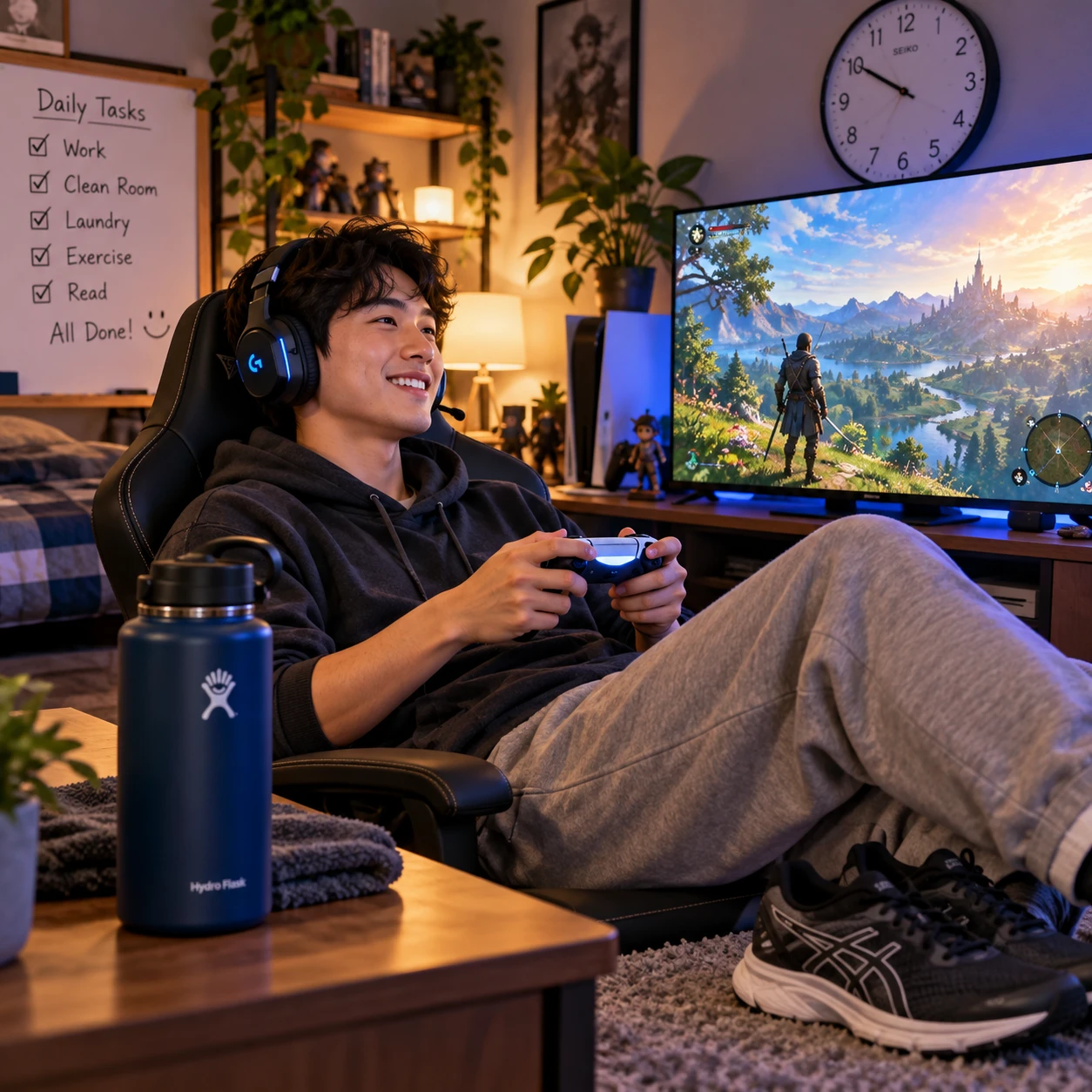
Gaming can be a relaxing way to unwind, connect with friends, or enjoy a favorite story. It becomes harder to enjoy when a session crowds out sleep, work, school, relationships, or other activities that matter to you.
A healthy gaming-life balance does not require giving up games or following a strict hour limit. It means making playtime fit your real schedule, setting boundaries you can keep, and noticing when your habits need a reset.
What a Healthy Gaming-Life Balance Looks Like
A healthy gaming-life balance lets you enjoy casual gaming while keeping up with daily responsibilities, rest, movement, and relationships. Gaming feels like a chosen hobby, rather than something that regularly derails the rest of your day.
There is no single right amount of gaming for everyone. A free weekend, a busy work week, and a school exam period call for different schedules. The useful question is not only “How many hours did I play?” but also “Did I have time for the things I needed and wanted to do?”
Try using a simple balance check at the end of the week. Look at four areas:
- Responsibilities: Did you meet work, school, household, or caregiving commitments?
- Well-being: Did gaming leave enough room for sleep, meals, and physical activity?
- Relationships: Were you present for important plans and conversations?
- Enjoyment: Did you have fun, or did you keep playing out of pressure, habit, or fear of missing out?
If one area keeps slipping, that is a cue to adjust your gaming schedule, not a reason to shame yourself. A balanced routine can still include long sessions now and then, provided they are planned around your needs and do not become the default at everyone else’s expense.
Set Gaming Limits That Work for You
To set gaming limits that last, plan playtime around your responsibilities and available free time, then choose a clear stopping point before you start. A flexible boundary is more useful than an ambitious rule you abandon after a few days.
Start by listing the fixed parts of your week: work or class hours, commute, meals, chores, appointments, and sleep. Add a realistic estimate for tasks that tend to take longer than expected. The time left over is your starting pool for gaming, rest, and other interests.
Next, pick a limit that suits the day. For example, you might plan one short session after finishing a household task on a weeknight, then allow more open-ended play on a free afternoon. You can set a boundary by time, by activity, or both:
- Time limit: Decide when you will stop, such as 9:30 p.m.
- Session limit: Stop after one match, mission, or in-game chapter.
- Responsibility-first rule: Finish a specific task before launching a game.
Make the plan visible in a calendar or reminder if you tend to lose track of time. Leave a buffer between gaming and the next commitment; a session that ends at the exact minute you need to leave is likely to run late. Limits may feel restrictive at first, but they can make play more relaxing by removing the question of whether you should still be playing.
Protect Sleep, Movement, and Breaks
Protecting sleep, movement, and breaks starts with building them into your gaming routine rather than hoping you will remember them mid-session. Set a stopping time, keep basic comfort needs in view, and pause regularly during longer play.
A consistent sleep routine is especially helpful. Choose a time to power down that gives you enough room for your usual wind-down, whether that means a shower, reading, or preparing for the next day. If you repeatedly stay up later than planned, move the gaming cutoff earlier and use an alarm that signals the end of play, not just a warning that it is approaching.
Long sessions can also leave you stiff, tired, or unaware of how long you have been sitting. During natural breaks between matches or missions, stand up, stretch, refill water, and look away from the screen. A short walk or a few minutes of movement is easier to fit in when you attach it to an existing pause.
- Keep water nearby and take a break to refill it.
- Stand or stretch between rounds instead of starting the next one immediately.
- Step away from the screen during longer sessions, especially if you notice eye strain or tension.
- Make time for regular physical activity outside gaming, at a level that suits your health and schedule.
Break reminders can interrupt the flow, and not every game has a convenient stopping point. Choose natural save points where possible, or finish the current match before taking a brief pause. The goal is a routine you can maintain, not perfect screen-time control.
Make Time for People and Offline Interests
To make time for people and offline interests, schedule them as deliberately as you schedule gaming. Keep plans with friends and family, and leave room for hobbies that give your attention a break from the screen.
Social relationships can be part of gaming, especially when you play with friends. Still, online time does not always replace the kinds of connection you get from a shared meal, a phone call, or being present at an in-person plan. Let people know when you are available to play, and avoid letting a game lobby become an automatic reason to cancel commitments.
It helps to protect a few regular windows for offline life. You could reserve one evening for a club, cooking, reading, or meeting a friend, or keep one part of the weekend free for errands and outdoor time. These do not need to be grand plans. Small routines make it easier to avoid a week where gaming fills every unstructured hour by default.
If friends often invite you to play when you planned to stop, communicate your boundary in advance: “I can join for two matches, then I’m logging off.” Clear expectations are kinder than repeatedly leaving without warning, and they help make gaming a social activity that fits your life rather than competing with it.
Spot When Gaming Is Taking Over
Gaming may be taking over when it repeatedly interferes with responsibilities, sleep, health, or relationships, or when you feel unable to follow limits you set for yourself. One late night or missed task does not prove there is a serious problem; look for patterns and their consequences.
Notice what has changed over several weeks. Are you regularly missing deadlines, skipping meals, turning down plans you value, or feeling tired because sessions run late? Do you feel frustrated or anxious when you cannot play, even when something important needs your attention? These signs do not diagnose a condition, but they can show that your current gaming boundaries are not working.
Try a reset that targets the specific problem. If sleep is suffering, set a firm evening cutoff. If responsibilities are piling up, schedule gaming only after the day’s essential tasks. If you lose track of time, disable automatic next-match prompts where possible, use a timer, or ask a trusted person to check in at your stopping point.
For a week, you can also keep a simple note of when you play, when you planned to stop, and how you felt afterward. This is not a scorecard; it helps reveal patterns. If gaming continues to cause significant distress or disruption despite your efforts, consider talking with a trusted person or a qualified health professional. Asking for help is a practical step, not a judgment on gaming as a hobby.
Make Casual Gaming More Intentional
Casual gaming becomes easier to balance when you choose games and sessions that match the time and energy you actually have. Before launching a game, decide what you want from that session: relaxation, a story chapter, a few rounds with friends, or a quick creative break.
Different games make different demands on your schedule. A game with short rounds and clear stopping points may suit a busy evening. A long quest or competitive session may be more enjoyable when you have an open block of time and can stop without rushing into another commitment. Neither kind is automatically better; the useful choice depends on your plans that day.
Use a quick session filter before you play:
- Time: How much free time do I have, including time to stop and switch tasks?
- Energy: Do I want something easy to pick up, or am I ready to focus on a longer experience?
- Stopping point: Can I name a natural endpoint before I start?
This small check helps prevent a common mismatch: starting a game that encourages long sessions when you only have a short window. It can also make play feel more rewarding. When you know why you chose a game and when you plan to stop, casual gaming is less likely to turn into background scrolling through menus or one more round after another.
Frequently Asked Questions
There is no universal gaming schedule that works for every person, so focus on how gaming affects your daily life. These answers can help you choose boundaries that fit your situation.
How many hours of gaming is too much?
There is no fixed number of hours that is too much for everyone. The amount becomes a concern when it regularly cuts into sleep, work or school, relationships, physical activity, or other responsibilities, or when you cannot follow limits you intend to keep. Consider the pattern and its impact rather than judging a single long session.
How can I stop a gaming session on time?
Set a stopping point before you start, such as a specific time or the end of a match. Use an alarm as a warning, turn off autoplay or automatic queueing if available, and avoid starting a new round when you are close to your cutoff. For games without clear endpoints, decide in advance what counts as a natural pause.
How do I balance gaming with work or school?
Put fixed commitments and deadlines into your schedule first, then plan gaming during genuine free time. Break large assignments or chores into manageable steps and choose a play session that fits the time left. During especially busy weeks, shorten sessions temporarily rather than expecting your usual routine to work unchanged.
What should I do if gaming is affecting my sleep?
Move your gaming cutoff earlier, set a reminder to begin winding down, and avoid starting a long session close to bedtime. If you keep playing past the cutoff, try logging out or shutting down the device at a set time, or make evening sessions shorter. If sleep problems persist or affect your daily functioning, speak with a qualified health professional.
]